
Updated 06/19/2005: I recently posted part 2 & 3 of this post.
Ever since the birth of my son, I thought it would be neat for me to create a collection of Thomas The Tank shows. In my area, Thomas the Tank is only aired twice a week. Therefore, I thought it would be nice to have a collection so that we can pop the show in whenever WE want him to watch it. I emphasized we because I don’t want you to think that I just plan on planting my son in front of the TV.
That being said, I’ve setup a season pass for Thomas & Friends. Now that I have four shows recorded and transferred to my PC using TiVoToGo, I went ahead and purchased a copy of Sonic MyDVD. The software only cost $49.99, which I consider a fair price.
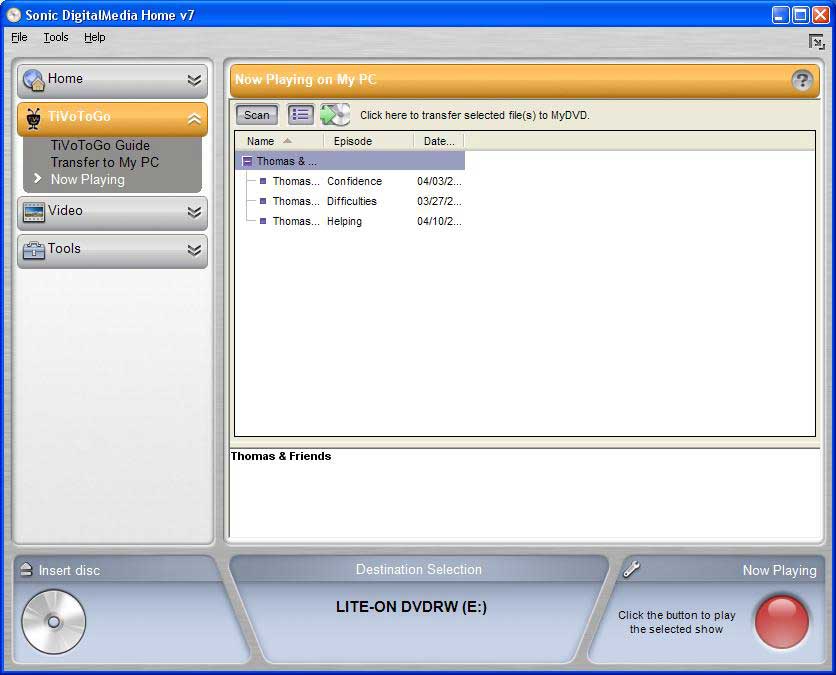
My initial experience with MyDVD was rather shaky at best. The installation of MyDVD as well as the TiVo plugin went well. The problem occurred when I tried to burn my first DVD. Upon right clicking on a TiVo recording and selecting “Burn to DVD”, I received the following error:
Could not make a thumbnail. Make sure you have the appropriate decoder installed. -47010
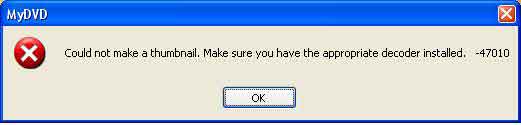
My first thought was to hit the Sonic KnowledgeBase and see if this problem had been reported. Within a couple of minutes, I found the exact same error message (search for “47010″). Unfortunately, the “resolutions” that were listed were of no help to me. I was able to play the TiVo recordings in Windows Media Player 10 so I was of the opinion that the TiVo recordings were not corrupted. After performing a bunch of Google searches and discussing it on TiVoCommunity, I decided that something just wasn’t “right”.
Any experienced Windows user knows that whenever they get the feeling that something isn’t right, the next steps to take is stop what you are doing and uninstall, reboot and reinstall. Sure enough, that’s what I did and everything just started to work  . Don’t ask me why, I’m just happy that it works now. I hope that I won’t run into the same problem in the future. If I were a betting man, I would bet that it will happen again however; for the time being I don’t want to think about it
  . I’ve been around computers long enough to know that sometimes you just say “screw it” and accept the fact that you don’t know why something didn’t work. This is definitely a case where I am going to throw in the towel and hope that it doesn’t happen again.
Ok, now that I have everything working I might as well talk about what I do like in MyDVD. Once I imported my TiVo files I was rather impressed by how MyDVD automagically generates a menu with each show as a thumbnail. I’ve some what customized the menu to include my own text including a better description of each show. As of right now, I haven’t gotten much farther then that. I was about to try and edit the actual scenes in the DVD however; my son started to cry. I hope to actual finish editing the DVD and eventually burn it to disc in the near future. I’ve read on a number of sites that transcoding the DVD takes a long time. I’m sure that it will be especially slow on my 800mhz pc.
Check back in the near future for my complete review of MyDVD including my analysis of the editing process. Hopefully I will have something up in the near future!
Updated 06/19/2005: I recently posted part 2 & 3 of this post.
About Author
